 ← PostgreSQL Blog
Understanding Tablespace Privileges and Granting Permissions in Oracle Database
Understanding Tablespace Privileges and Granting Permissions in Oracle Database
Introduction
In Oracle Database, tablespaces play a crucial role in managing storage and organizing database objects. Along with creating tablespaces, granting appropriate privileges to users is essential for maintaining database security and ensuring efficient data management. This article will delve into tablespaces, the ALTER USER command for setting quotas, and the GRANT command for assigning specific permissions.
Tablespaces in Oracle Database
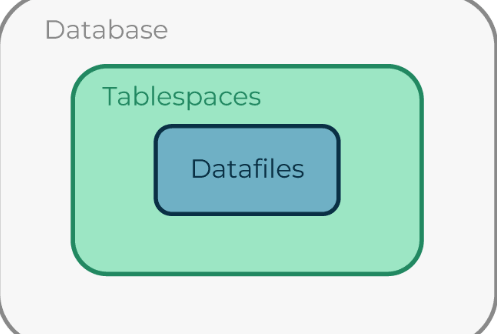
A tablespace is a logical storage unit in an Oracle database where database objects like tables, indexes, and partitions are stored. Understanding tablespaces is fundamental to managing storage and optimizing database performance.
Creating a Tablespace
To create a tablespace named ‘deneme’, you can use the following SQL command:
CREATE TABLESPACE deneme
DATAFILE '/path/to/datafile/deneme01.dbf' SIZE 100M;
Setting Quotas for Users
After creating a tablespace, you may want to allocate specific storage quotas to users. The ALTER USER command allows you to set quotas for users on a particular tablespace.
ALTER USER user1 QUOTA 100M ON deneme;In this command:
user1is the username for which the quota is being set.100Mspecifies the quota size allocated to the user.denemeis the name of the tablespace.
Granting Permissions on Tables
Granting permissions on tables is essential for allowing users to perform specific operations like SELECT, INSERT, UPDATE, and DELETE. The GRANT command is used to assign these permissions.
Granting UPDATE Privilege with Grant Option
To grant the UPDATE privilege on a table named 'table_name' to a user named 'JONES' with the GRANT OPTION, use the following command:
GRANT UPDATE ON table_name TO JONES WITH GRANT OPTION;In this command:
UPDATEis the privilege being granted.table_nameis the name of the table.JONESis the username receiving the privilege.WITH GRANT OPTIONallows the user to further grant the same privilege to other users.
Granting INSERT Privilege to Public with Grant Option
Granting permissions to the PUBLIC role allows all users to perform specific operations. However, granting excessive permissions to the public can pose security risks. Proceed with caution when using the PUBLIC role.
GRANT INSERT ON table_name TO PUBLIC WITH GRANT OPTION;In this command:
INSERTis the privilege being granted.table_nameis the name of the table.PUBLICis the role receiving the privilege.WITH GRANT OPTIONallows any user to further grant the same privilege to other users.
Conclusion
Managing tablespaces and granting permissions are essential tasks in Oracle Database administration. By understanding how to create tablespaces, set quotas, and grant privileges, you can effectively manage storage, optimize performance, and maintain database security. Always follow best practices and be cautious when granting permissions to ensure the integrity and security of your Oracle Database.