 ← PostgreSQL Blog
RMAN Backup
Understanding RMAN Backup Strategies in Oracle: A Comprehensive Guide
Oracle Recovery Manager (RMAN) is a crucial tool for managing backups in Oracle databases. It provides various backup strategies to protect your data and ensure its availability. In this article, we’ll explore RMAN backup commands, resolve common errors, and implement incremental backup strategies.
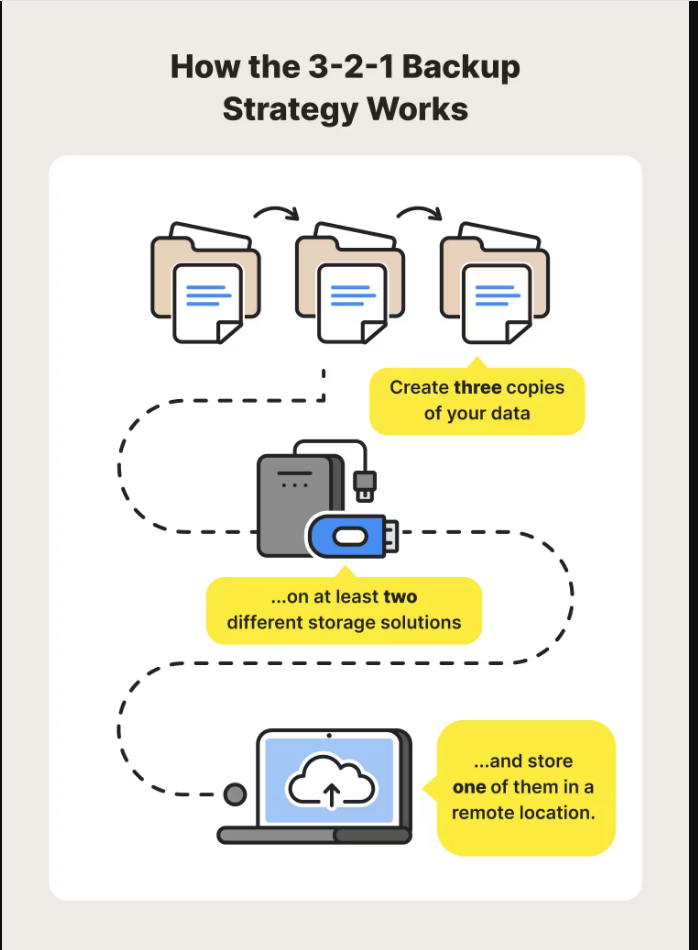
Introduction to RMAN Backup
RMAN offers different backup levels and strategies to suit various database requirements. Understanding these backup levels and implementing them correctly is essential for effective data protection.
Resolving the “RMAN-06149: cannot BACKUP DATABASE in NOARCHIVELOG mode” Error
When attempting to perform a database backup in NOARCHIVELOG mode, you may encounter the “RMAN-06149: cannot BACKUP DATABASE in NOARCHIVELOG mode” error. To resolve this error, you need to switch the database to ARCHIVELOG mode.
Here’s how you can switch the database to ARCHIVELOG mode:
Invoke SQL*Plus and connect as a user with SYSDBA privileges.
SHUTDOWN IMMEDIATE
STARTUP MOUNT
ALTER DATABASE ARCHIVELOG;
ALTER DATABASE OPEN;
ARCHIVE LOG LIST
Basic RMAN Backup Commands
Once the database is in ARCHIVELOG mode, you can perform various types of backups using RMAN:
Full Database Backup
rman target /
backup database;
Incremental Level 1 Backup
backup incremental level 1 database;Incremental Level 2 Backup
backup incremental level 2 database;Cumulative Incremental Level 1 Backup
backup incremental level 1 database cumulative;Creating a RMAN Backup Script
You can automate the backup process by creating an RMAN backup script. Here’s how you can create a backup script for an incremental level 1 backup:
echo "run {" > backup_script.rman
echo " allocate channel ch1 device type disk;" >> backup_script.rman
echo " backup incremental level 1 database;" >> backup_script.rman
echo " backup current controlfile;" >> backup_script.rman
echo " release channel ch1;" >> backup_script.rman
echo "}" >> backup_script.rman
Automating RMAN Backup with Cron
To automate the RMAN backup using a cron job:
Save the backup script:
cat backup_script.rman
mv backup_script.rman /home/kemal/scripts/
Edit the crontab:
crontab -eAdd the following line to schedule the RMAN backup:
10 13 * * * rman target sys/test123@NEW_DATABASE cmdfile="/home/kemal/scripts/backup_script.rman"Conclusion
Understanding and implementing RMAN backup strategies is essential for ensuring data protection and availability in Oracle databases. Whether you’re performing full database backups, incremental backups, or automated backups using cron jobs, RMAN provides a comprehensive set of commands and features to meet your backup requirements.
By following the steps outlined in this article, you can resolve common RMAN errors, implement incremental backup strategies, and automate the backup process effectively.
Happy backing up!