 ← PostgreSQL Blog
Mastering PostgreSQL Deployment on Docker: A Step-by-Step Guide
Mastering PostgreSQL Deployment on Docker: A Step-by-Step Guide
What are Containers?
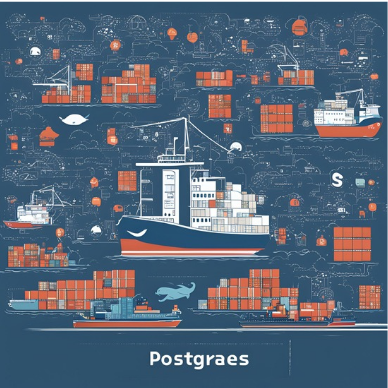
Containers are a lightweight form of virtualization that allows you to run applications and their dependencies in isolated environments. Unlike traditional virtual machines (VMs) that require a full OS for each instance, containers share the host OS kernel and isolate the application processes. This results in faster start-up times, reduced overhead, and improved resource efficiency.
Benefits of Containers
- Portability: Containers encapsulate an application and its dependencies, making it easy to move across different environments (development, testing, production) without worrying about compatibility issues.
- Scalability: Containers can be easily scaled up or down based on the application demand.
- Isolation: Containers provide process and file system isolation, ensuring that applications do not interfere with each other.
- Consistency: Containers ensure that the application runs the same regardless of where it is deployed, reducing “works on my machine” issues.
Docker: The Leading Container Platform
Docker is a popular platform that simplifies the process of creating, deploying, and managing containerized applications. It provides tools and utilities to work with containers, including the Docker Engine for running containers and the Docker Hub for storing and sharing container images.
Setting Up PostgreSQL on Docker
In this guide, we will walk you through the steps to set up PostgreSQL on Docker, including creating and managing containers, volumes, and connecting to the PostgreSQL database.
Prerequisites
- A system with
yumpackage manager (e.g., RHEL-based distribution). sudoprivileges for installing and configuring Docker.
Step 1: Install Docker
First, we need to add the Docker repository and install Docker on our system.
sudo dnf config-manager --add-repo https://download.docker.com/linux/rhel/docker-ce.repoNext, install Docker and its components:
sudo yum install docker-ce docker-ce-cli containerd.io docker-buildx-plugin docker-compose-pluginStep 2: Start Docker Service
After the installation, start the Docker service and enable it to start on boot.
sudo systemctl start docker
sudo systemctl enable docker
Step 3: Pull the PostgreSQL Docker Image
Docker images are pre-packaged environments that include all necessary dependencies to run an application. To pull the PostgreSQL image from Docker Hub, use the following command:
docker pull postgresStep 4: Create a Docker Volume
Docker volumes are used to persist data outside of the container’s lifecycle. We will create a volume to store PostgreSQL data.
docker volume create cluster_postgresStep 5: Run the PostgreSQL Docker Container
Now, let’s run the PostgreSQL container using the image we pulled earlier. We’ll also link the volume we created to persist data.
docker run --name postgres_container -e POSTGRES_PASSWORD=test123 -d -p 5432:5432 -v cluster_postgres:/var/lib/postgresql/data postgresIn this command:
--name postgres_containerassigns a name to the container.-e POSTGRES_PASSWORD=test123sets the password for the PostgreSQL superuser.-druns the container in detached mode.-p 5432:5432maps the host port 5432 to the container port 5432.-v cluster_postgres:/var/lib/postgresql/datamounts the Docker volume to the PostgreSQL data directory inside the container.
Step 6: Verify the Container is Running
To ensure that the PostgreSQL container is running, use the following command:
docker psYou should see an entry for postgres_container in the list of running containers.
Step 7: Connect to the PostgreSQL Database
Finally, to connect to the PostgreSQL database running inside the container, use the docker exec command:
docker exec -it postgres_container psql -U postgresThis command will open a PostgreSQL interactive terminal (psql) where you can execute SQL commands.
Conclusion
Using Docker to set up PostgreSQL provides a fast, portable, and consistent environment for your database needs. Docker’s containerization technology ensures that your PostgreSQL instance runs smoothly across various environments, making development and deployment more efficient. Whether you are a developer working on a new project or a system administrator managing databases, Docker simplifies the process and enhances productivity. For more detailed and technical articles like this, keep following our blog on Medium. If you have any questions or need further assistance, feel free to reach out in the comments below and directly.