 ← PostgreSQL Blog
Efficiently Manage database Bloat with pg_repack
Efficiently Manage database Bloat with pg_repack
PostgreSQL users often face the challenge of database bloat, which can significantly impact performance. Traditional methods like VACUUM FULL and CLUSTER can be disruptive, but pg_repack offers a solution that works online, ensuring minimal downtime. In this article, we'll explore how to install and configure pg_repack on a PostgreSQL 14 setup running on a Red Hat Enterprise Linux 9 (RHEL 9) system.
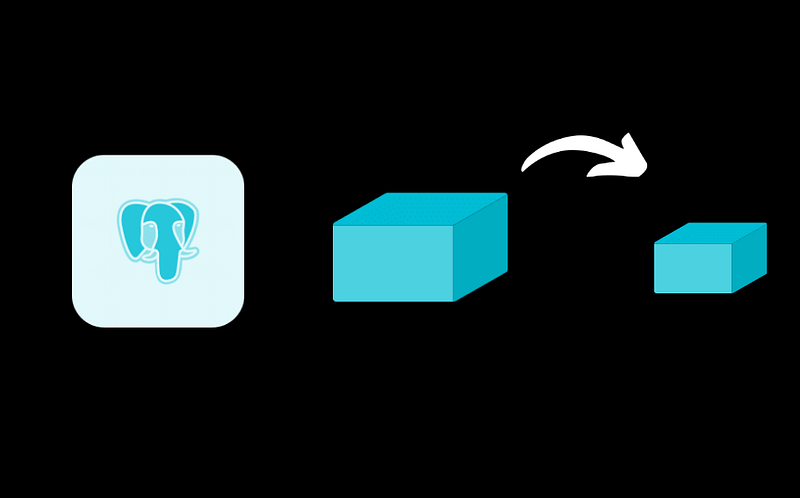
What is pg_repack?
pg_repack is a PostgreSQL extension designed to remove bloat from tables and indexes. Unlike CLUSTER and VACUUM FULL, pg_repack operates online without holding an exclusive lock on the processed tables, making it an efficient and less intrusive option.
Installation
Step 1: Download the RPM Package
First, download the pg_repack RPM package for PostgreSQL 14 on RHEL 9:
wget https://download.postgresql.org/pub/repos/yum/14/redhat/rhel-9-x86_64/pg_repack_14-1.5.0-1PGDG.rhel9.x86_64.rpmStep 2: Install the RPM Package
Next, install the downloaded RPM package:
rpm -iv pg_repack_14-1.5.0-1PGDG.rhel9.x86_64.rpmStep 3: Verify Installation
You can verify the installation by listing the files included in the package:
rpm -ql pg_repack_14-1.5.0-1PGDG.rhel9.x86_64.rpm | grep binAlternatively, use the find command to locate the pg_repack binary:
find / -name pg_repackStep 4: Update PATH Environment Variable
Add the PostgreSQL bin directory to your PATH:
export PATH=$PATH:/usr/pgsql-14/binMake this change permanent by adding it to your ~/.bashrc file:
echo 'export PATH=$PATH:/usr/pgsql-14/bin' >> ~/.bashrc
source ~/.bashrc
Configuration
Step 1: Create the Extension
Connect to your PostgreSQL database and create the pg_repack extension:
psql -c "CREATE EXTENSION pg_repack" -d employeeStep 2: Verify pg_repack Availability
To ensure pg_repack is available, you can list the PostgreSQL binaries:
pg_reYou should see pg_repack listed among the other PostgreSQL binaries:
pg_receivewal   pg_recvlogical  pg_repack       pg_resetwal     pg_restore      pg_rewind

# if you dont see, you may forget to source your bashrc (source ~/.bashrc)
Usage
Basic Usage
To repack a specific database (e.g., employee), use the following command:
pg_repack -d employeeYou will see output similar to this:
INFO: repacking table "public.address"
INFO: repacking table "public.city"
INFO: repacking table "public.company"
...
Advanced Options
pg_repack offers several options to customize its behavior. Here are some useful ones:
- Repack all databases:
pg_repack -a- Repack a specific table:
pg_repack -t tablename -d employee- Repack tables in a specific schema:
pg_repack -c schemaname -d employee- Move repacked tables to a new tablespace:
pg_repack -s newtablespace -d employee- Order by specific columns:
pg_repack -o "column1, column2" -d employeeFor a complete list of options, refer to the pg_repack help:
pg_repack --helpConclusion
pg_repack is a powerful tool for managing bloat in PostgreSQL databases with minimal downtime. By following the steps outlined in this article, you can easily install and configure pg_repack on your PostgreSQL 14 setup running on RHEL 9. With pg_repack, you can maintain optimal database performance without the need for disruptive maintenance operations. For more detailed and technical articles like this, keep following our blog on Medium. If you have any questions or need further assistance, feel free to reach out in the comments below and directly.