 ← PostgreSQL Blog
PostgreSQL Deployment
PostgreSQL Deployment
Introduction
PostgreSQL is a robust, open-source relational database system renowned for its reliability and feature set. However, default installations may not meet the stringent security and performance requirements of production environments. This guide provides a step-by-step approach to securely install, configure, and optimize PostgreSQL 15 on RHEL-based distributions such as RHEL 9, AlmaLinux 9, Rocky Linux 9, and Oracle Linux 9.
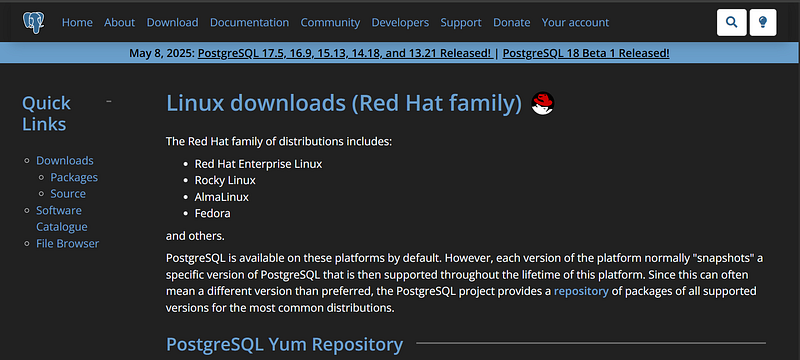
1. Installing PostgreSQL 15
1.1. Add the Official PostgreSQL YUM Repository
sudo dnf install -y https://download.postgresql.org/pub/repos/yum/reporpms/EL-9-x86_64/pgdg-redhat-repo-latest.noarch.rpm1.2. Disable the Built-in PostgreSQL Module
sudo dnf -qy module disable postgresql1.3. Install PostgreSQL 15 Server and Contrib Packages
sudo dnf install -y postgresql15-server postgresql15-contrib1.4. Initialize the Database Cluster
sudo /usr/pgsql-15/bin/postgresql-15-setup initdb1.5. Enable and Start PostgreSQL Service
sudo systemctl enable --now postgresql-15Note: Thepostgresql15-contribpackage includes valuable extensions likepg_stat_statementsandpgcrypto.
What These Commands Do
- Repository RPM: Adds the PostgreSQL repository to your system so you get updates and security patches directly from the PostgreSQL project.
- Module Disable: RHEL ships older versions of PostgreSQL by default, disabling the module avoids conflicts.
- Install Server: Installs the core PostgreSQL binaries and data management utilities.
- InitDB: Creates the data directory, default tablespaces, and config files.
- Systemd: Registers PostgreSQL to start at boot and starts it immediately.
2. Security Hardening
2.1. Change Default Port and Restrict Listening Address
Edit /var/lib/pgsql/15/data/postgresql.conf:
port = 5433
listen_addresses = '**.***.***.***' # your hostname or ipadress
Why? Changing the default port can deter automated scans. Restricting listen_addresses limits connections to specified IPs.2.2. Secure pg_hba.conf Configuration
Edit /var/lib/pgsql/15/data/pg_hba.conf:
# TYPE  DATABASE   USER     ADDRESS         METHOD
host    all        all      127.0.0.1/32    scram-sha-256
host    mydb       dbuser   **.***.***.***/32  scram-sha-256
Recommendation: Avoid thetrustmethod. Usescram-sha-256for enhanced password security.
2.3. Limit Superuser Access
CREATE ROLE dba_admin WITH LOGIN PASSWORD 'StrongPassword!' SUPERUSER CONNECTION LIMIT 2;Update pg_hba.conf:
host all dba_admin **.***.***.**.**/32 scram-sha-256Note: Use the postgres user only for local connections. Create separate superusers for administrative tasks.3. Performance Tuning
3.1. Memory Settings
Edit /var/lib/pgsql/15/data/postgresql.conf:
shared_buffers = 25% of RAM
work_mem = 16MB
maintenance_work_mem = 256MB
effective_cache_size = 75% of RAM
Explanation:
shared_buffers: Memory allocated for caching data.work_mem: Memory per operation for sorting and hashing.maintenance_work_mem: Memory for maintenance operations like VACUUM.effective_cache_size: Estimate of available OS cache for PostgreSQL.
3.2. Additional Important Settings
max_parallel_workers = 4
log_min_duration_statement = 500
random_page_cost = 1.1
wal_buffers = 16MB
checkpoint_completion_target = 0.9
Note: If using SSDs, lowering random_page_cost can improve performance.4. Configuring Database Directories
4.1. Create Custom Directories
sudo mkdir -p /mnt/db_data /mnt/db_logs /mnt/db_wal /mnt/db_temp
sudo chown -R postgres:postgres /mnt/db_data /mnt/db_logs /mnt/db_wal /mnt/db_temp
4.2. Move Data to New Directories
sudo systemctl stop postgresql-15
sudo rsync -av /var/lib/pgsql/15/data/ /mnt/db_data/
4.3. Update postgresql.conf
data_directory = '/mnt/db_data'
log_directory = '/mnt/db_logs'
temp_tablespaces = '/mnt/db_temp'
4.4. Start PostgreSQL Service
sudo systemctl start postgresql-15Note: If SELinux is enabled, ensure appropriate security contexts are set for the new directories.
5. User and Role Management
5.1. Create Roles
CREATE ROLE readonly;
CREATE ROLE readwrite;
CREATE ROLE ddl_admin;
5.2. Define Permissions
GRANT CONNECT ON DATABASE mydb TO readonly;
GRANT USAGE ON SCHEMA public TO readonly, readwrite;
GRANT SELECT ON ALL TABLES IN SCHEMA public TO readonly;
GRANT SELECT, INSERT, UPDATE, DELETE ON ALL TABLES IN SCHEMA public TO readwrite;
GRANT CREATE, USAGE ON SCHEMA public TO ddl_admin;
5.3. Create Users and Assign Roles
CREATE USER report_user WITH PASSWORD 'StrongPassword!';
CREATE USER app_user WITH PASSWORD 'StrongPassword!';

GRANT readonly TO report_user;
GRANT readwrite TO app_user;
Recommendation: Implement the principle of least privilege when assigning roles and permissions.
6. Monitoring and Logging
6.1. Enable Necessary Extensions
CREATE EXTENSION pg_stat_statements;
CREATE EXTENSION pgcrypto;
Update postgresql.conf:
shared_preload_libraries = 'pg_stat_statements'6.2. Install and Configure pgAudit
sudo dnf install pgaudit15_15Update postgresql.conf:
shared_preload_libraries = 'pgaudit,pg_stat_statements'
pgaudit.log = 'ddl,write,role'
Note: pgAudit provides detailed logging of database activities, aiding in compliance and auditing.
7. Final Checklist
- Changed default port
- Restricted listening address
- Secured
pg_hba.conf - Implemented
scram-sha-256authentication - Limited superuser access
- Tuned memory and performance settings
- Configured custom database directories
- Defined roles and users with appropriate permissions
- Enabled monitoring and logging
Conclusion
This guide has walked you through the secure installation and optimization of PostgreSQL 15 on RHEL-based systems. By following these steps, you ensure a robust, secure, and high-performing database environment suitable for production workloads. Regularly review configurations, stay updated with PostgreSQL releases, and adapt settings as your system’s needs evolve.