 ← PostgreSQL Blog
Oracle Data into PostgreSQL Using oracle_fdw
Oracle Data into PostgreSQL Using oracle_fdw
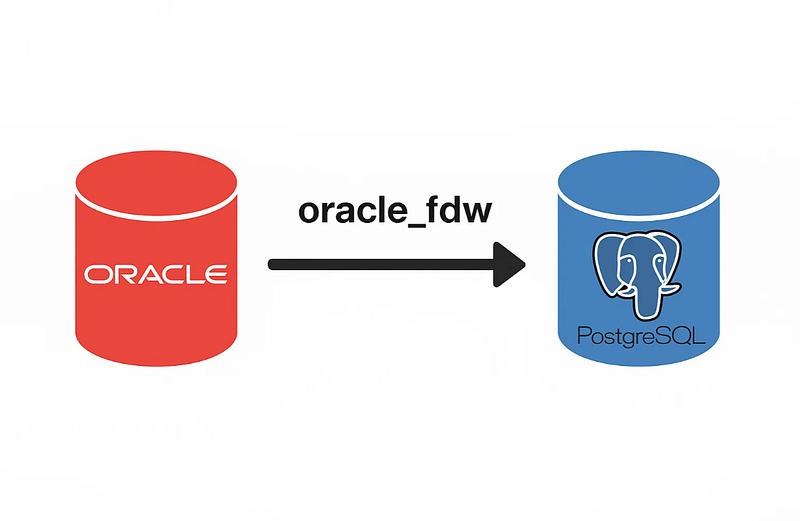
PostgreSQL is a highly extensible database, and one of its powerful features is the ability to query external databases using Foreign Data Wrappers (FDWs). In this article, we’ll walk through a practical example of how to use the oracle_fdw extension to connect PostgreSQL to an Oracle database and access its tables as if they were local. We’ll demonstrate this setup using RHEL 9 (or similar) and show how to map Oracle tables to PostgreSQL using both simple and spatial (geometry) data.
Step 1: Install Required Packages
To begin, install Oracle Instant Client and PostgreSQL YUM repositories:
dnf -y install https://download.oracle.com/otn_software/linux/instantclient/oracle-instantclient-basic-linuxx64.rpm

dnf -y install https://download.postgresql.org/pub/repos/yum/reporpms/non-free/EL-9-x86_64/pgdg-redhat-nonfree-repo-latest.noarch.rpm

dnf -y install https://download.postgresql.org/pub/repos/yum/reporpms/EL-9-x86_64/pgdg-redhat-repo-latest.noarch.rpm
Then install the Oracle FDW package for your PostgreSQL version:
dnf install oracle_fdw_15Step 2: Define Oracle Server and User in PostgreSQL
Connect to PostgreSQL as a superuser and execute the following:
CREATE SERVER oracle_test_db FOREIGN DATA WRAPPER oracle_fdw
OPTIONS (dbserver '//exa1111-****.*****.****:1521/TESTDB');


CREATE USER oracle_fdw_user WITH PASSWORD 'oracle';


GRANT USAGE, CREATE ON SCHEMA public TO oracle_fdw_user;
GRANT USAGE ON FOREIGN SERVER oracle_test_db TO oracle_fdw_user;


CREATE USER MAPPING FOR oracle_fdw_user SERVER oracle_test_db
OPTIONS (user 'test', password 'test');
Step 3: Create Foreign Tables in PostgreSQL
Change Your Data Type
-------------------------+--------------------------------------------------
Oracle type              | Possible PostgreSQL types
-------------------------+--------------------------------------------------
CHAR                     | char, varchar, text
NCHAR                    | char, varchar, text
VARCHAR                  | char, varchar, text
VARCHAR2                 | char, varchar, text, json
NVARCHAR2                | char, varchar, text
CLOB                     | char, varchar, text, json
NCLOB                    | char, varchar, text, json
LONG                     | char, varchar, text
RAW                      | uuid, bytea
BLOB                     | bytea
BFILE                    | bytea (read-only)
LONG RAW                 | bytea
NUMBER                   | numeric, float4, float8, char, varchar, text
NUMBER(n,m) with m<=0    | numeric, float4, float8, int2, int4, int8,
                         | boolean, char, varchar, text
FLOAT                    | numeric, float4, float8, char, varchar, text
BINARY_FLOAT             | numeric, float4, float8, char, varchar, text
BINARY_DOUBLE            | numeric, float4, float8, char, varchar, text
DATE                     | date, timestamp, timestamptz, char, varchar, text
TIMESTAMP                | date, timestamp, timestamptz, char, varchar, text
TIMESTAMP WITH TIME ZONE | date, timestamp, timestamptz, char, varchar, text
TIMESTAMP WITH           | date, timestamp, timestamptz, char, varchar, text
LOCAL TIME ZONE          |
INTERVAL YEAR TO MONTH   | interval, char, varchar, text
INTERVAL DAY TO SECOND   | interval, char, varchar, text
XMLTYPE                  | xml, char, varchar, text
MDSYS.SDO_GEOMETRY       | geometry (see "PostGIS support" below)
Simple Address Table
Let’s define a basic foreign table from Oracle:
CREATE FOREIGN TABLE addresses_remote (
  id             NUMERIC,
  address_text   TEXT
)
SERVER oracle_test_db
OPTIONS (schema 'TEST', table 'ADDRESSES');
You can see your oracle table in postgres as shown below;

Route Information Table with Geometry
Here is a more complex table with spatial and scheduling data:
CREATE FOREIGN TABLE route_info_remote (
  object_id         NUMERIC,
  route_no          NUMERIC,
  drawing_no        NUMERIC,
  weekday_hours     TEXT,
  weekend_hours     TEXT,
  annotation        BYTEA,
  start_x           TEXT,
  start_y           TEXT,
  end_x             TEXT,
  end_y             TEXT,
  start_time        TEXT,
  end_time          TEXT,
  route_draw_id     TEXT,
  all_day_flag      TEXT,
  route_list        TEXT,
  district_permission TEXT,
  asian_side        TEXT,
  european_side     TEXT,
  report_area_code  TEXT,
  shape             geometry
)
SERVER oracle_test_db
OPTIONS (schema 'TEST', table 'YTK_GUZERGAH');


--
You can chechk your foregin table;
test=> table route_info_remote limit 3; -- changed shape data type SDO to postgis
Advanced Use Case: Oracle Spatial Table with SDO_UTIL
We can even use a custom SQL query to handle Oracle’s spatial geometry and convert it using sdo_util to be compatible with PostgreSQL:
CREATE SERVER oracle_prod_db FOREIGN DATA WRAPPER oracle_fdw
OPTIONS (dbserver '//exa9999-****.*****.****:1521/PRODDB');
-- OPTIONS (dbserver '//HOST:PORT/SERVISNAME');

GRANT USAGE ON FOREIGN SERVER oracle_prod_db TO oracle_fdw_user;

CREATE USER MAPPING FOR oracle_fdw_user SERVER oracle_prod_db
OPTIONS (user 'test', password 'test');
Now, define a foreign table using an inline SELECT statement:
CREATE FOREIGN TABLE ANADOLU_FDW (
  OBJECTID          NUMERIC,
  ILCE_ID           NUMERIC,
  ILCE_ADI          TEXT,
  ILCE_UAVT         NUMERIC,
  OBJE_ADI          NUMERIC,
  GLOBALID          TEXT,
  YAKA              NUMERIC,
  KARAR_NO          TEXT,
  KARAR_TUR         NUMERIC,
  KARAR_KONU        TEXT,
  CREATED_USER      TEXT,
  CREATED_DATE      TIMESTAMP,
  LAST_EDITED_USER  TEXT,
  LAST_EDITED_DATE  TIMESTAMP,
  SHAPE             geometry
) SERVER ora_prod OPTIONS (table '(
Select
  OBJECTID         ,
  ILCE_ID          ,
  ILCE_ADI         ,
  ILCE_UAVT        ,
  OBJE_ADI         ,
  GLOBALID         ,
  YAKA             ,
  KARAR_NO         ,
  KARAR_TUR        ,
  KARAR_KONU       ,
  CREATED_USER     ,
  CREATED_DATE     ,
  LAST_EDITED_USER ,
  LAST_EDITED_DATE ,
  sdo_util.from_wktgeometry(sde.st_astext(shape)) AS SHAPE_SDO
  from  TEST.ANADOLU
)');
This allows spatial geometries to be transferred into PostgreSQL in a compatible format using Oracle’s sdo_util.
Use Cases and Benefits
- Data Federation: Query Oracle and PostgreSQL in a single SQL query.
- Read-Only Integration: Use for dashboards, analytics, or reporting without syncing.
- Low Maintenance: No ETL pipelines — just define once and query.
Considerations
oracle_fdwsupports read-only access — no updates/inserts to Oracle.- Spatial data requires conversion (
sdo_util,ST_AsText, etc.). - Proper user privileges must be granted in Oracle for access.
- Ensure Oracle client libraries are compatible with the host OS.
Conclusion
oracle_fdw is a robust way to integrate Oracle data directly into PostgreSQL. With just a few configurations and some SQL, you can build a lightweight but powerful bridge between the two systems. Whether you’re building reports, geospatial analysis, or merging legacy data with modern tools this FDW opens new possibilities.