 ← PostgreSQL Blog
Psql Cheat Sheet
Psql Cheat Sheet
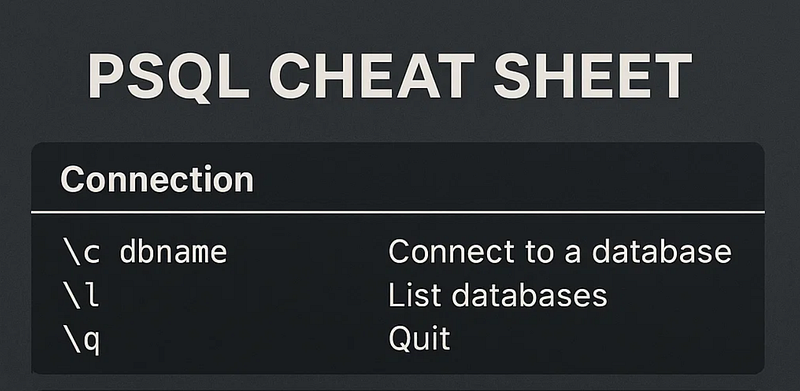
Basic Navigation Commands
List all databases
\lConnect to another database
\c dbnameShow current connection
\conninfoListing Objects Quickly
List all schemas
\dnList all tables in current database
\dtList tables across all schemas
\dt *.*List all functions
\dfList all views
\dvList everything (tables, views, sequences)
\dInspecting Tables & Structures
Describe a table
\d table_nameDescribe a table with storage info
\d+ table_nameList indexes of a table
\di table_nameShow sequences
\dsSize & Storage Tricks
Size of a single database
SELECT
        pg_size_pretty(pg_database_size('mydb'));
Size of all databases
SELECT
        datname,
        pg_size_pretty(pg_database_size(datname))
FROM
        pg_database;
Table size
SELECT
        pg_size_pretty(pg_total_relation_size('table_name'));
User & Permission Tools
List all users and roles
\duShow grants for a role
\dg+ username;Useful psql Quality-of-Life Options
Show SQL timing
\timingTurn expanded display on/off (better formatting)
\xEnable/disable auto-commit
\set AUTOCOMMIT on
\set AUTOCOMMIT off
View all psql settings
\setCommand History & Editing
Show command history
\historyRepeat last query
\gSave query output to file
\o output.txt
SELECT * FROM test;
\o
Final Thoughts
psql is much more powerful than most people realize. With a few meta-commands, you can navigate databases, inspect structures, and analyze size or performance with almost no SQL at all. This cheatsheet is designed to be a compact, daily-use reference that keeps your workflow fast and efficient.