 ← PostgreSQL Blog
Linux Networking Cheat Sheet
Linux Networking Cheat Sheet
From Basics to Advanced Analysis
Networking issues usually appear when you least expect them.
This cheat sheet is written to be saved, bookmarked, and used in real production incidents.
No unnecessary theory.
Only commands, patterns, and troubleshooting steps that actually work.
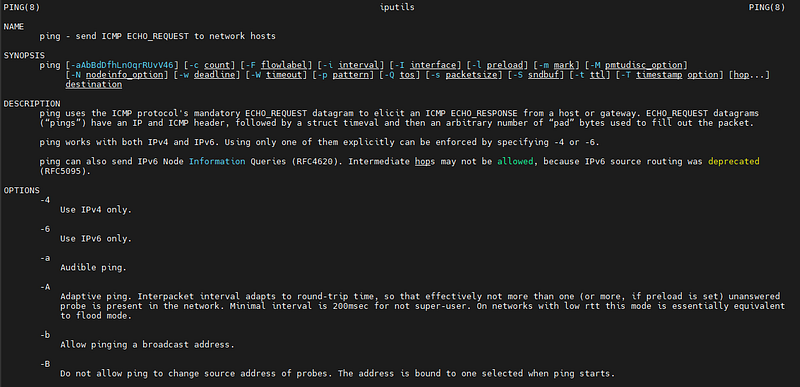
Table of Contents
Part 1 — Linux Networking Basics (For Everyone)
- Network Interfaces & IP Addresses
- Routes & Gateways
- Ports, Sockets & Listening Services
- DNS Resolution & Name Lookup
- Connectivity Testing
- File Transfer Over Network
- Firewall Basics (firewalld)
- Common Networking Mistakes
Part 2 — Advanced Networking & Troubleshooting (Beginner → Advanced)
- Linux Networking Stack (Mental Model)
- Advanced Socket Inspection with
ss - Firewall Deep Dive (firewalld & rich rules)
- Packet Capture & Traffic Analysis with
tcpdump - Detecting Port Scans and Empty Traffic
- Bandwidth and Throughput Analysis
- Routing, Policy Rules and Network Namespaces
- Production Debug Checklist
- Performance and Network Tuning
- Security and Hardening
Part 1 — Linux Networking Basics (For Everyone)
1. Network Interfaces & IP Addresses
List all network interfaces:
ip aCompact, readable output:
ip -br aShow only active interfaces:
ip link show upLegacy command (avoid using in automation):
ifconfigIf an interface has the wrong IP address, nothing else in the network stack will work correctly.
2. Routes & Gateways
Display routing table:
ip routeShow default gateway:
ip route show defaultCheck how the system routes traffic to a destination:
ip route get 8.8.8.8Most “connection issues” are simply missing or incorrect routes.
3. Ports, Sockets & Listening Services
Modern replacement for netstat:
ss -lntupCheck whether a specific port is listening:
ss -lntp | grep 5000Connection statistics summary:
ss -sss is faster, more accurate, and should always be preferred over netstat.
4. DNS Resolution & Name Lookup
Resolve a domain name:
dig google.comShort output only:
dig +short google.comResolve using system configuration:
getent hosts google.comCheck resolver configuration:
cat /etc/resolv.confIf an IP address works but a hostname does not, the problem is DNS.
5. Connectivity Testing
Basic connectivity test:
ping -c 4 8.8.8.8Trace network path:
traceroute google.comMore informative tracing tool:
mtr google.comHTTP connectivity check:
curl -I https://example.comTest TCP port availability:
nc -zv host 54326. File Transfer Over Network
Copy a file:
scp file.txt user@host:/pathCopy a directory:
scp -r dir user@host:/pathEfficient and resumable transfer:
rsync -avz dir/ user@host:/dirIn production environments, rsync should be preferred.
7. Firewall Basics (firewalld)
Show active zones:
firewall-cmd --get-active-zonesList current rules:
firewall-cmd --zone=public --list-allOpen a TCP port permanently:
firewall-cmd --permanent --add-port=5000/tcp
firewall-cmd --reload
Permanent rules are not active until the firewall is reloaded.
8. Common Networking Mistakes
- Assuming a running service means an open port
- Forgetting firewall rules
- Testing domain names before verifying raw IP connectivity
- Ignoring the routing table
- Running
tcpdumpwithout filters in production
Part 2 — Advanced Networking & Troubleshooting
1. Linux Networking Stack (Mental Model)
Application
Socket
TCP / UDP
IP
Network Interface
Physical NIC
Troubleshooting should always start from the bottom and move upward.
2. Advanced Socket Inspection with ss
List all TCP connections:
ss -antShow only established connections:
ss -ant state establishedInspect TIME_WAIT sockets:
ss -ant state time-waitCount active connections:
ss -ant | wc -lHigh TIME_WAIT counts are often normal and not an error.
3. Firewall (firewalld & rich rules)
Runtime vs permanent configuration
- Runtime rules affect current state
- Permanent rules are stored on disk
--reloadapplies permanent rules
Allow a single IP access to a specific port:
firewall-cmd --permanent --zone=public \
  --add-rich-rule='rule family="ipv4" source address="**.**.**.**" port port="5000" protocol="tcp" accept'
Remove an existing subnet rule:
firewall-cmd --permanent --zone=public \
  --remove-rich-rule='rule family="ipv4" source address="**.**.**.**/24" port port="5000" protocol="tcp" accept'
Apply changes:
firewall-cmd --reloadList rich rules:
firewall-cmd --zone=public --list-rich-rules

firewall-cmd --zone=public --list-all
Log and reject traffic:
firewall-cmd --permanent --zone=public \
  --add-rich-rule='rule family="ipv4" source address="**.**.**.**/32" port port="5000" protocol="tcp" accept'


firewall-cmd --permanent --zone=public \
  --add-rich-rule='rule family="ipv4" source address="**.**.**.**/24" port port="5000" protocol="tcp" reject'


firewall-cmd --reload
Inspect kernel firewall logs:
journalctl -k4. Packet Capture & Traffic Analysis with tcpdump
Capture traffic on a port:
tcpdump -i eth0 -n -s 0 port 5000Write capture to file:
tcpdump -i eth0 -n -s 0 port 5000 -w /tmp/port5000.pcapView ASCII payload:
tcpdump -i eth0 -n -s 0 -A tcp port 5000View hex and ASCII:
tcpdump -i eth0 -n -s 0 -X tcp port 5000Always use filters to limit capture scope in production environments.
5. Detecting Port Scans and Empty Traffic
Detect SYN-only packets:
tcpdump -i eth0 -n 'tcp[13] & 2 != 0 and tcp[13] & 16 == 0'Detect NULL scans:
tcpdump -i eth0 -n 'tcp[13] == 0'Detect FIN scans:
tcpdump -i eth0 -n 'tcp[13] & 1 != 0'Detect empty payload traffic:
tcpdump -i eth0 -n tcp port 5000
# look for "length 0"
Broadcast or multicast traffic:
tcpdump -i eth0 -n 'broadcast or multicast'6. Bandwidth and Throughput Analysis
Interface statistics:
ip -s linkReal-time bandwidth:
nloadProcess-level traffic usage:
nethogsThroughput testing:
iperf3 -s
iperf3 -c host
Latency checks do not measure bandwidth.
7. Routing, Policy Rules and Network Namespaces
Show policy routing rules:
ip rule showShow all routing tables:
ip route show table allList network namespaces:
ip netns listExecute commands inside a namespace:
ip netns exec ns1 bashContainers rely heavily on namespaces for isolation.
8. Production Debug Checklist
- Interface state
- IP configuration
- Routing table
- Listening services
- Firewall rules
- Packet arrival and response
- Kernel and firewall logs
Skipping steps leads to incorrect conclusions.
9. Performance and Network Tuning
Check NIC offloading features:
ethtool -k eth0Check link speed and duplex:
ethtool eth0Inspect queue disciplines:
tc qdisc show10. Security and Hardening
- Close unused ports
- Log suspicious connections
- Block scanners early
- Monitor active connections regularly
- Combine firewall rules with traffic analysis
Final Notes
This cheat sheet is intentionally practical. It is meant to be useful during incidents, not just read once. Save it. Networking problems tend to come back.